January 2025
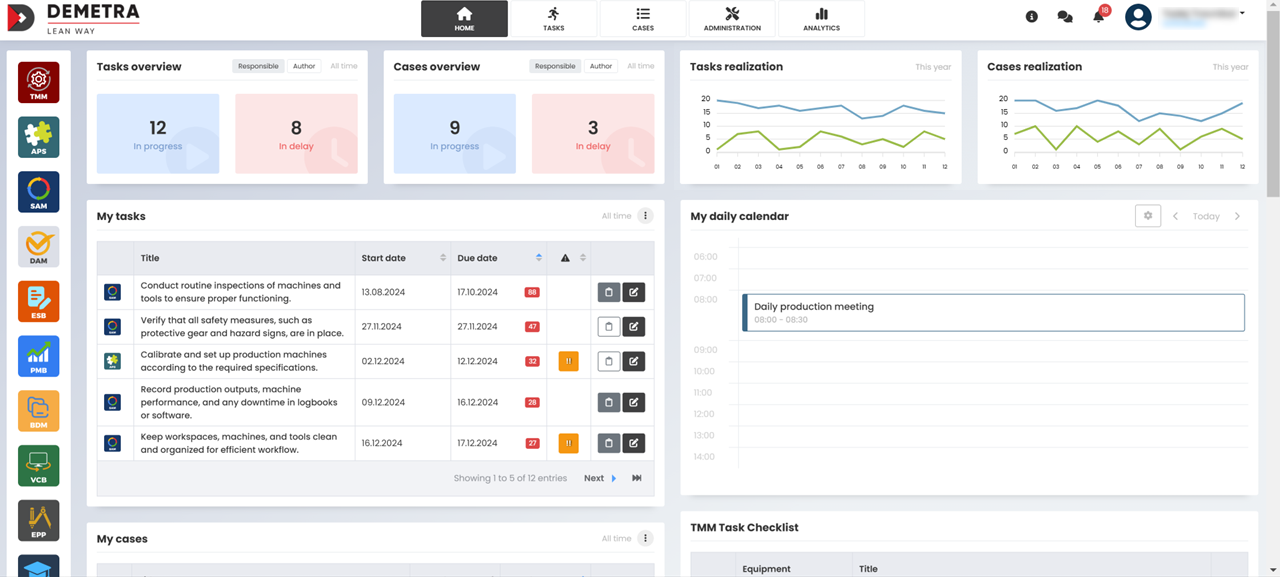
HOME PAGE – New layout
The home page has received a fresh and modern design, featuring a more intuitive and user-friendly interface that enhances the overall user experience. This updated layout is aimed at simplifying navigation, making it easier for users to quickly access key features and relevant information.
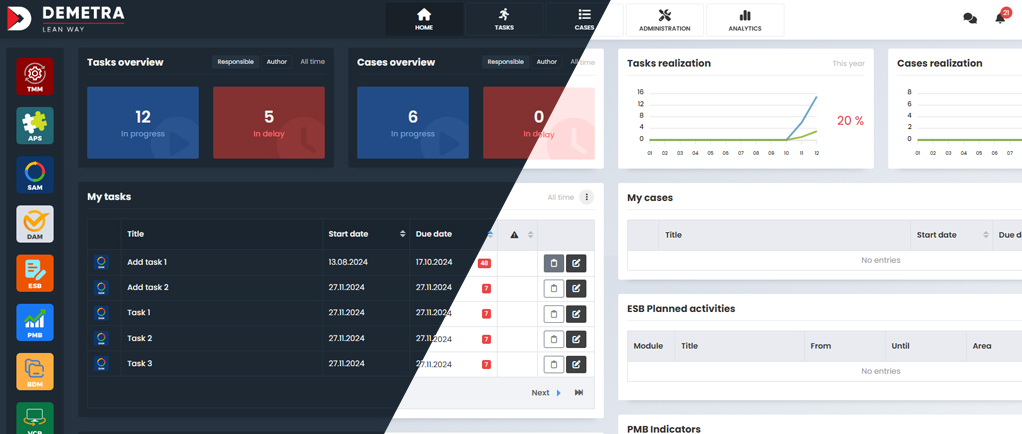
DARK MODE – New visual
Dark Mode is a new visual theme that has been added to the platform, providing users with a darker color palette for the interface. This feature is designed to reduce eye strain, especially in low-light environments, and can help improve focus and readability during extended use.
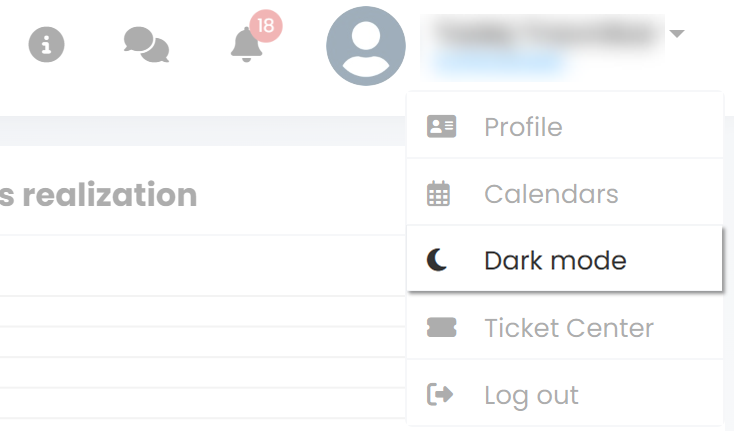
You can switch between Dark and Light mode in the dropdown menu under your name in the top-right corner.
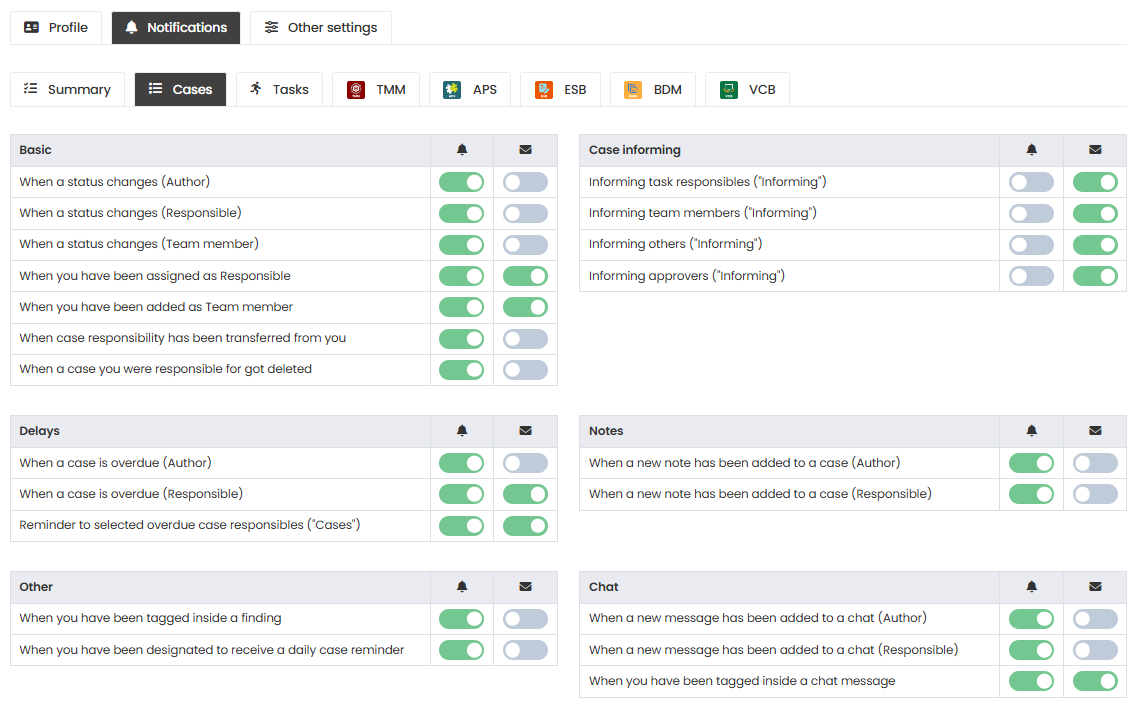
NOTIFICATION SETTINGS – Expanded flexibility
Notification settings allow users to customize and manage alerts, ensuring they receive important updates and reminders based on their preferences and needs. These settings have been expanded to offer even greater flexibility, allowing users to tailor notifications to suit their specific requirements.
CHAT MESSAGES – New feature in cases
A new chat feature has been added to cases, allowing users to communicate directly within the context of a specific case. This feature facilitates real-time discussions and collaboration among team members, improving workflow and ensuring that important information is shared efficiently.
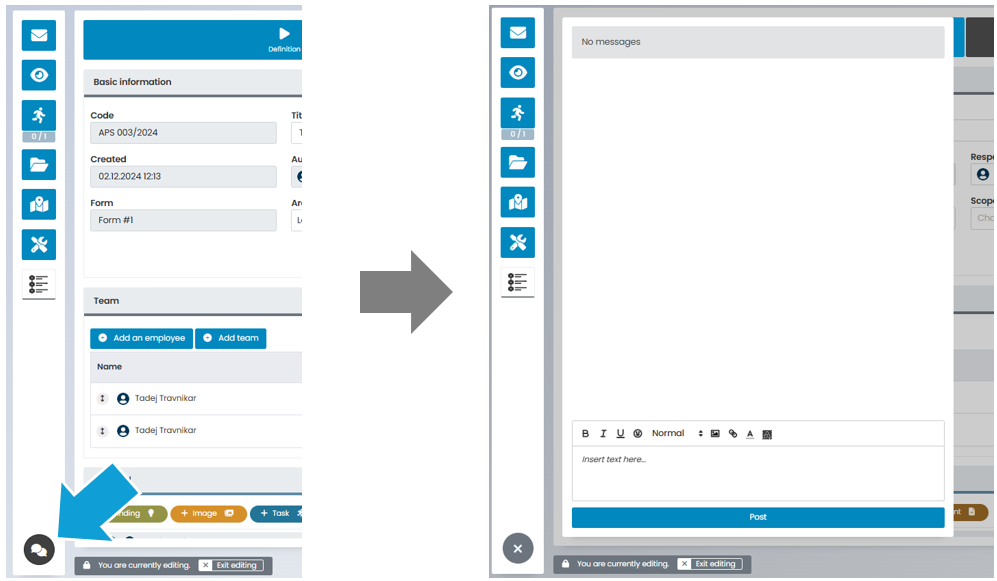
Chat message notifications will not appear in the regular notification (bell) area; they now have their own dedicated notification center.

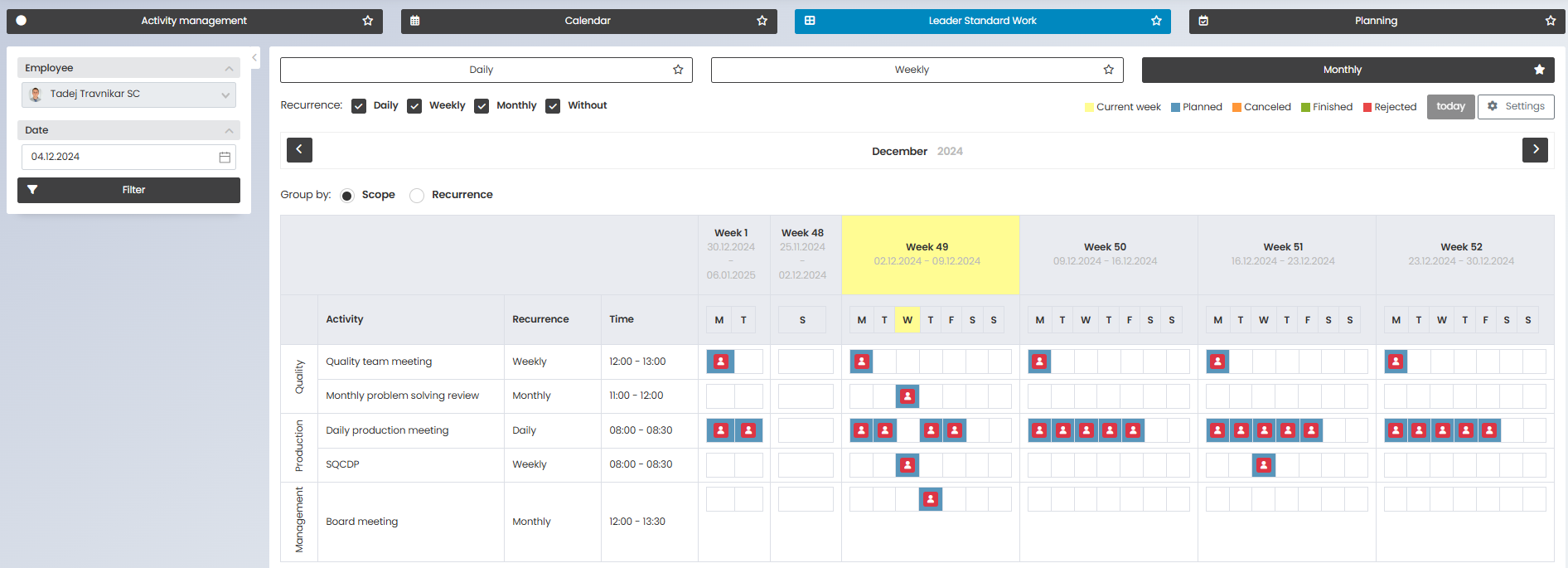
(ESB) – LEADER STANDARD WORK – New feature
The Leader Standard Work feature has been introduced to the ESB module, offering a powerful new tool designed to improve leadership practices and streamline team management. This feature helps ensure that leaders have consistent, standardized workflows for overseeing team performance, guiding operational activities, and maintaining organizational efficiency.
OTHER SMALLER UPDATES
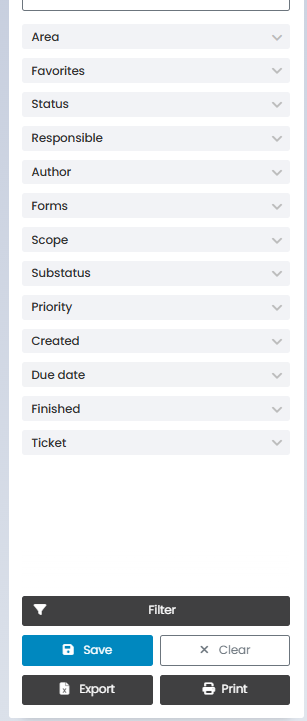
FILTERS – Visual update
The filters feature has received a visual update, offering a more modern and user-friendly interface. This enhancement improves the overall experience by making it easier to apply, adjust, and manage filters across the platform.
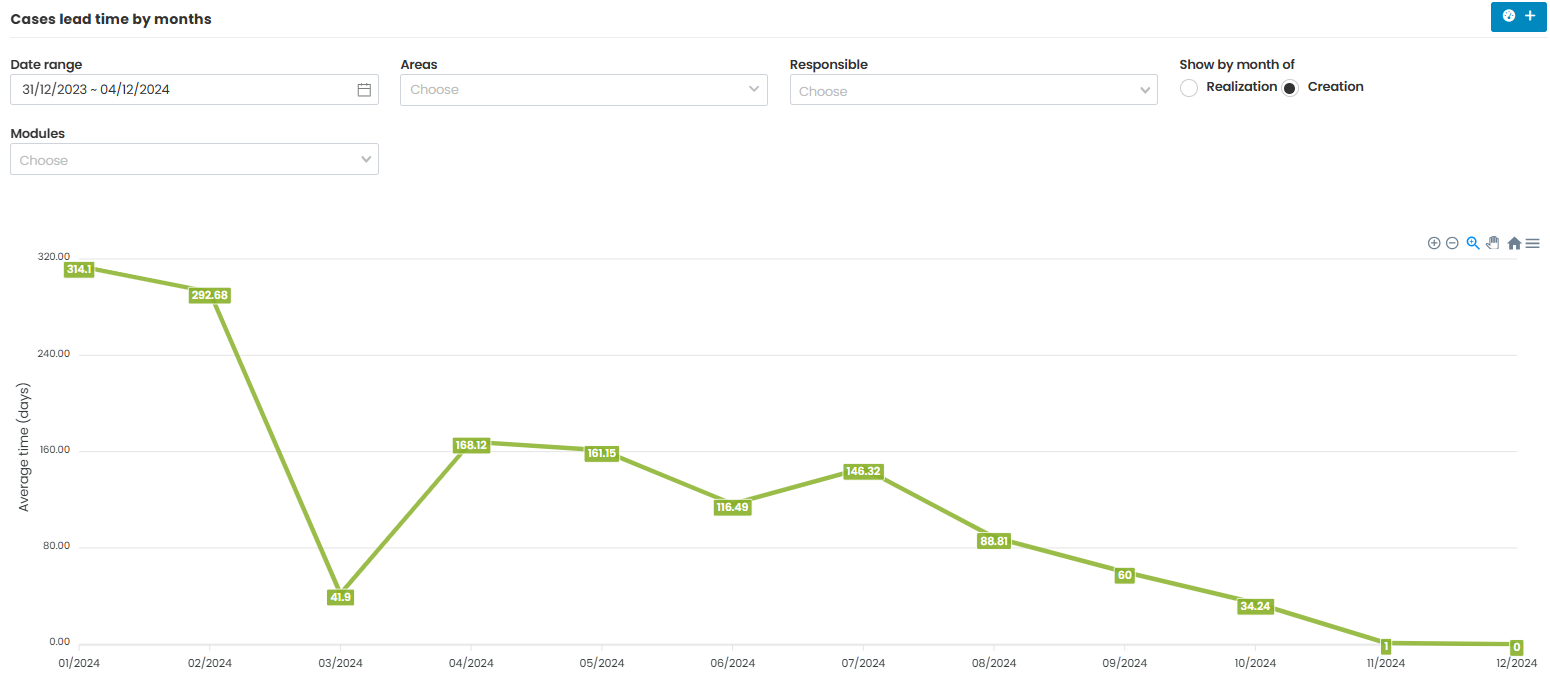
ANALYTICS – Lead times of Cases and Tasks
The analytics feature now includes detailed tracking of lead times for both cases and tasks, offering valuable insights into the time taken to complete processes.
By tracking and analyzing lead times for both cases and tasks, and offering the ability to view data based on creation or completion months, this feature helps teams and organizations streamline workflows, reduce delays, and improve overall efficiency in their operations.
INFOPOINT – Added functionality
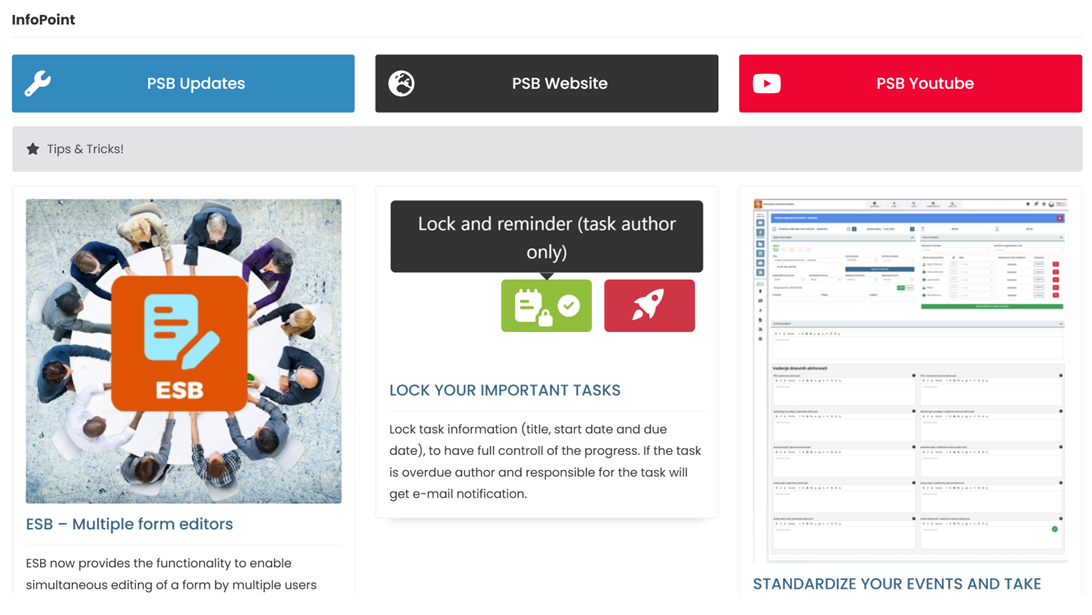
In addition to the usual Tips & Tricks and occasional blog posts, the InfoPoint page now also includes direct links to the PSB updates page, the PSB website, and the PSB YouTube channel.

ADMINISTRATOR UPDATES
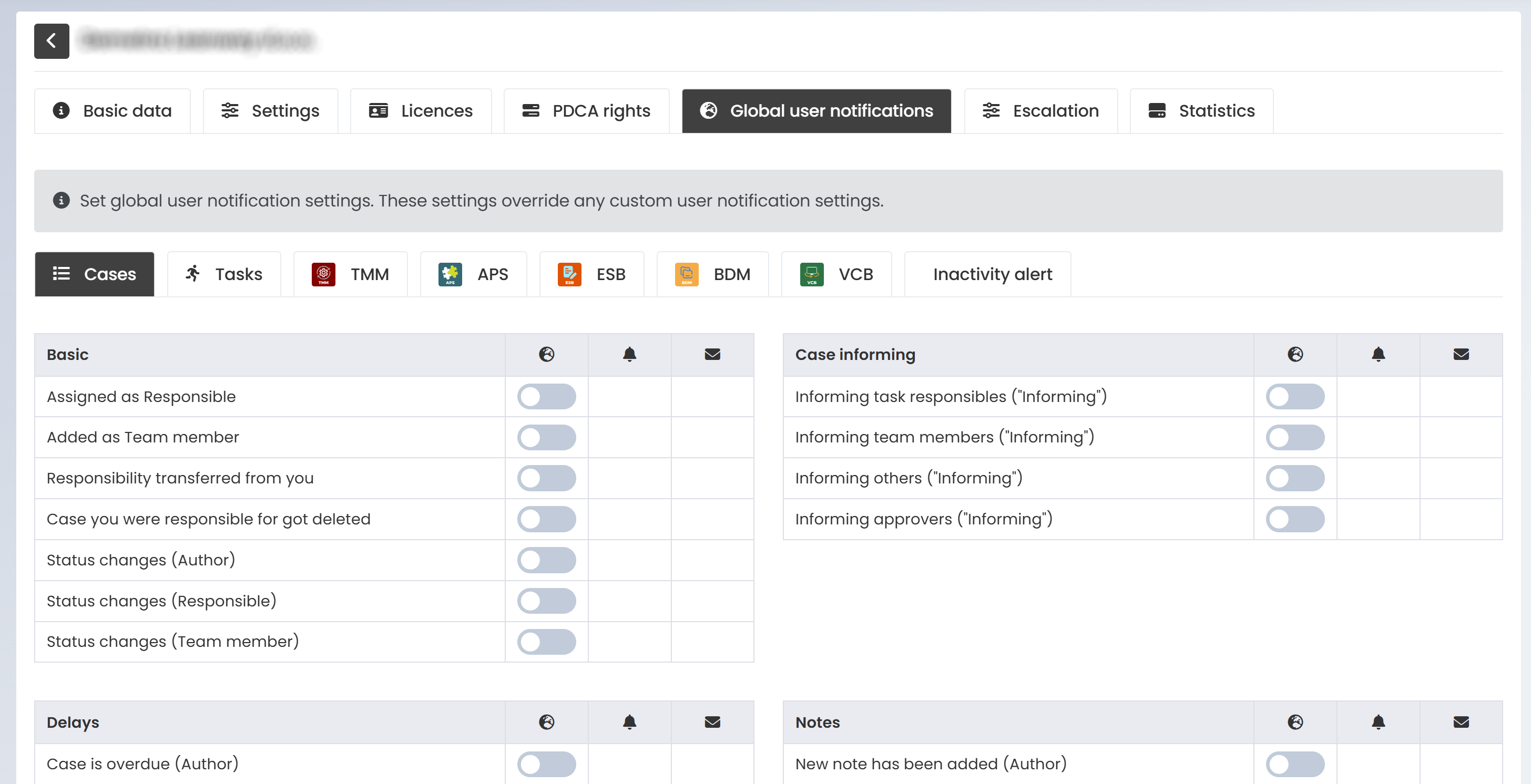
GLOBAL USER NOTIFICATION SETTINGS – Set global (company wide) notification settings
The ability to configure global user notification settings, which take precedence over any individual custom notification preferences.
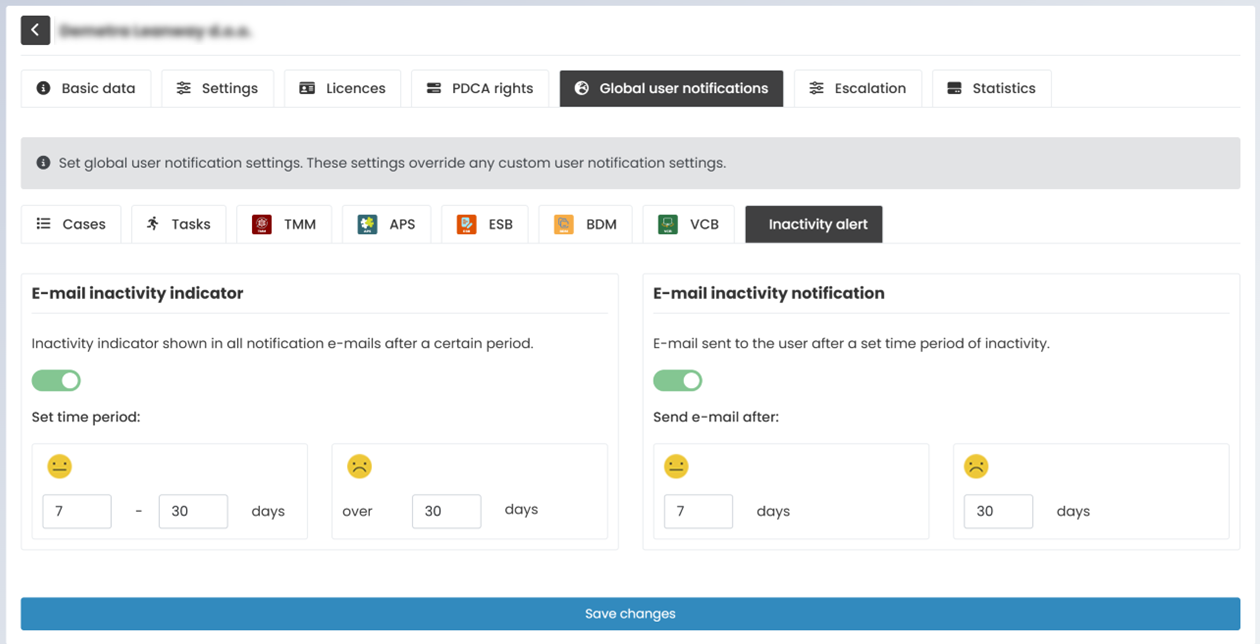
INACTIVITY ALERT – Display PSB inactivity
The ability to showcase periods of inactivity or lack of engagement within the PSB system.
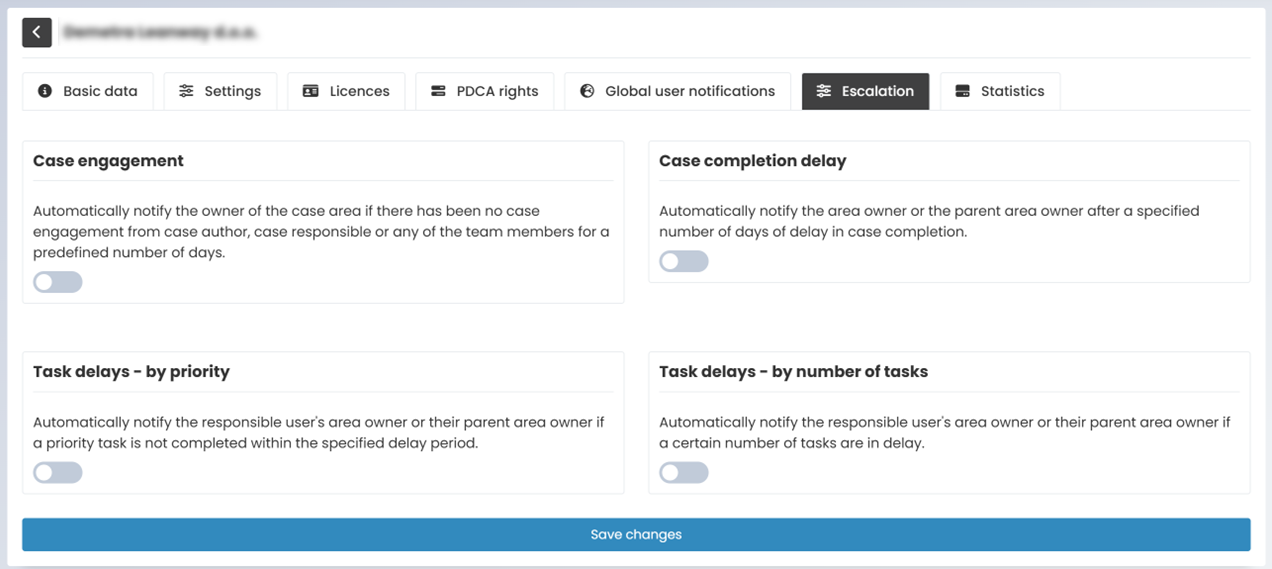
ESCALATION SYSTEM – Notify a user at a higher level
Automatic notifications sent to higher level management in the event of insufficient engagement.
USER DATA TRANSFER – Easy data transfer between users
The ability to transfer user data between users or to new users ensures that data is seamlessly migrated, shared, or reassigned as needed. This functionality is particularly useful in scenarios such as role changes, onboarding new users, or transferring ownership of accounts, tasks, or projects.
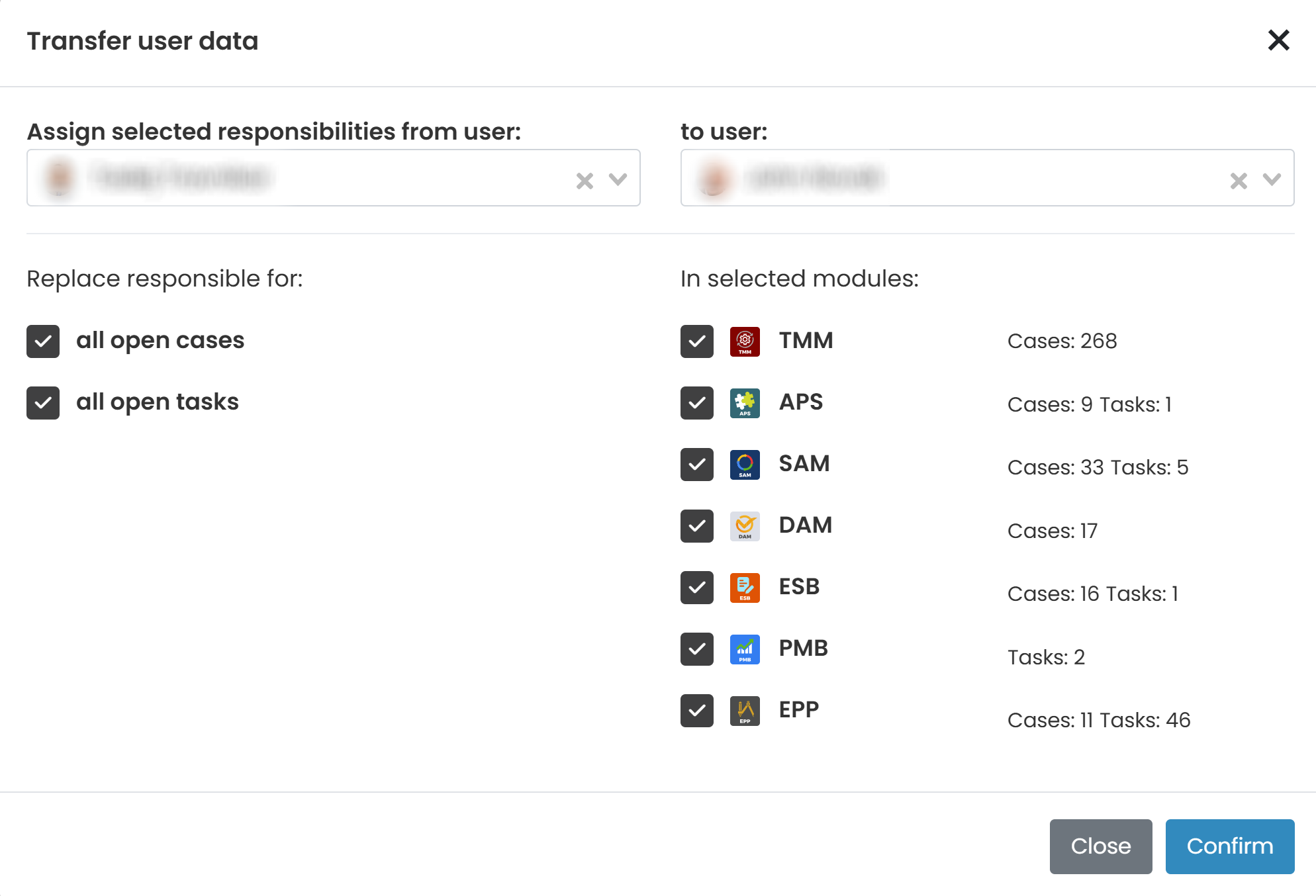
The functionality can be found at the bottom of the employee list.