July 2024
DASHBOARD – Renaming
In keeping with the trends and style of many web applications, the main page of the PSB tool has been renamed from “Dashboard” to “Home.”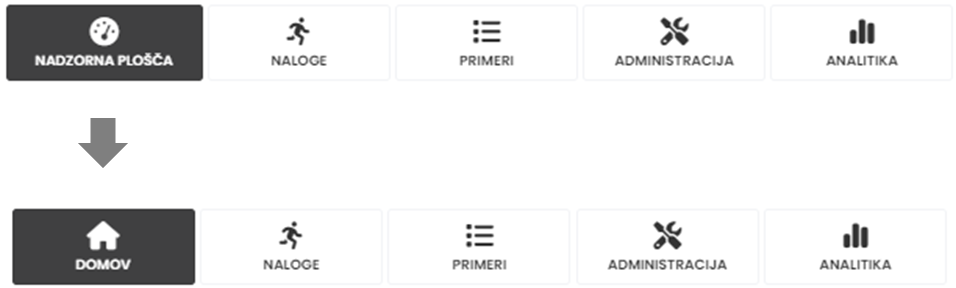
The functionality of the home page remains unchanged; however, this change allows us to reserve the term “dashboard” for a simplified display of analytics (next section).
ANALYTICS– Dashboards
We are pleased to announce the introduction of a new feature for analytics: Dashboards!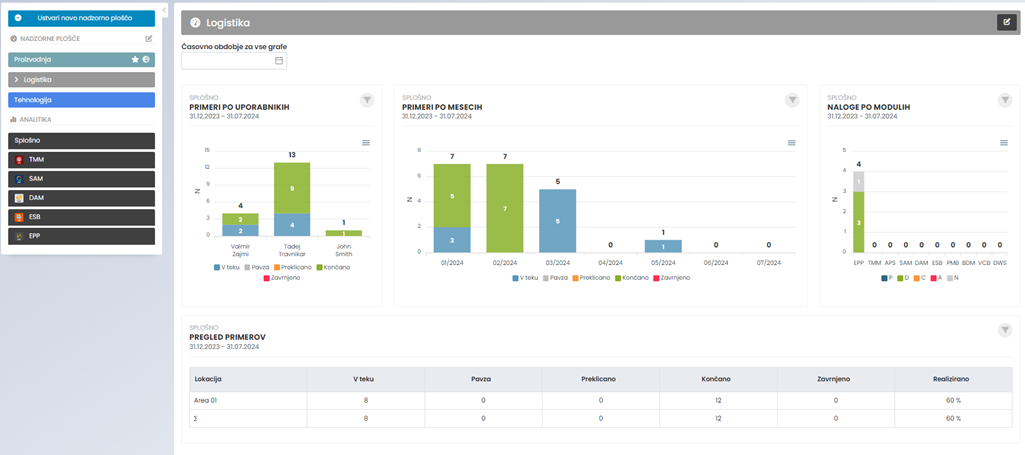
Dashboards allow you to view multiple custom-saved charts together in one convenient, centralized location. This improvement will provide you with a comprehensive overview of your key performance indicators and data trends at a glance, making it easier to monitor performance, analyze insights, and make data-driven decisions.
Easily add charts to your desired dashboard:
Users can access the same information, promoting shared understanding.
Each dashboard is visible only to the user who created it. However, administrators have the option to extend the visibility of the dashboard to all users.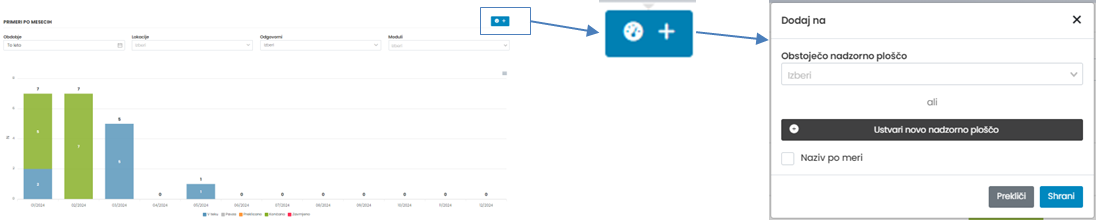
Easily customize the layout of your dashboards:
Define the arrangement and size of selected charts.

Customizability and flexibility:
Users can customize dashboards to focus on the most important indicators.
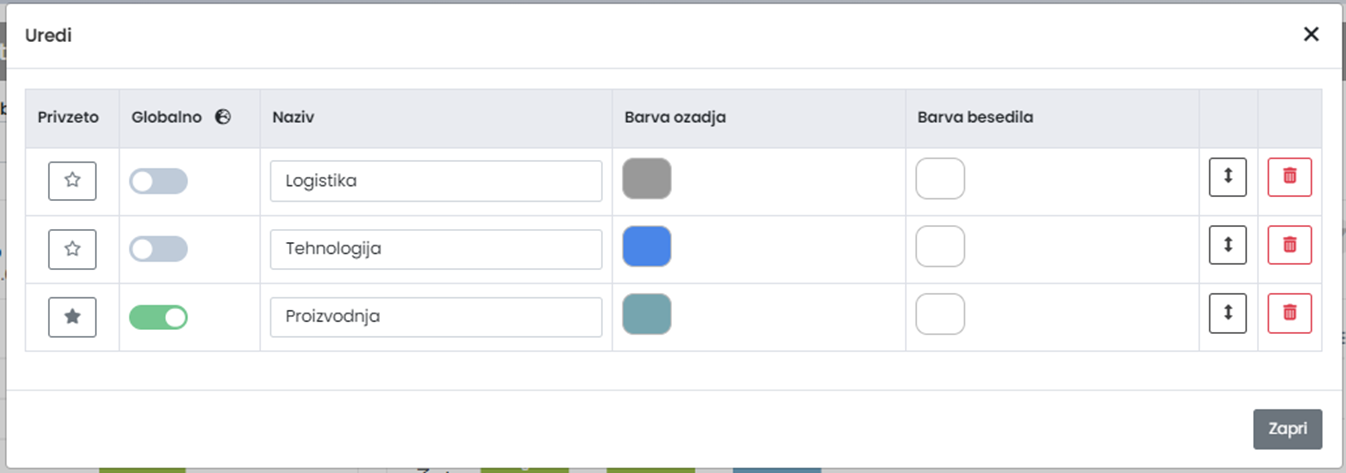
Global access:
Users can access the same information, promoting shared understanding.
Each dashboard is visible only to the user who created it. However, administrators have the option to extend the visibility of the dashboard to all users.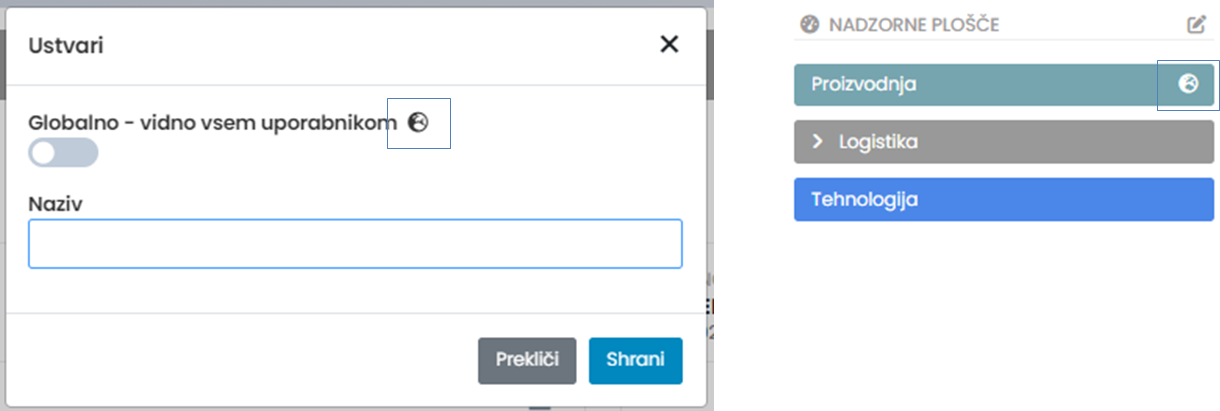
Filter Flexibility:
Editing filters for each individual chart with the option to save them permanently.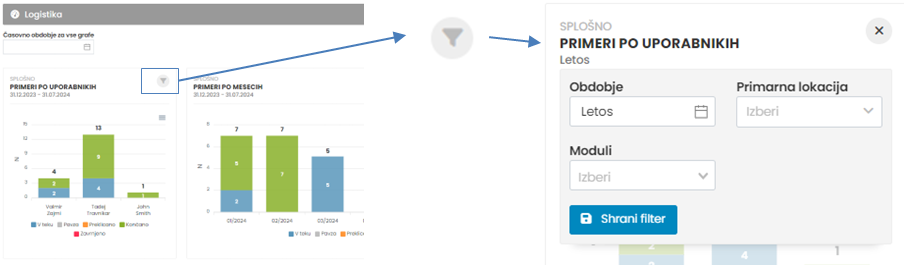
The ability to edit the time filter for all charts collectively, with the option to save it permanently.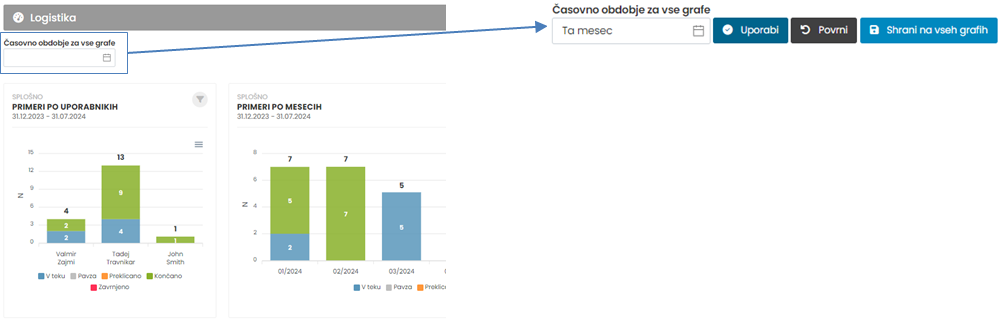
DAM – Cycle time measurement
The DAM tool enables various forms of structured monitoring or supervision, such as audits, internal assessments, level process audits, gemba walks, risk evaluations, workplace observations, and process optimization.
For some monitoring procedures, it is necessary to measure times, such as the duration of a work operation. To facilitate this, we have added a new functionality that allows time measurement to be done directly within the tool.
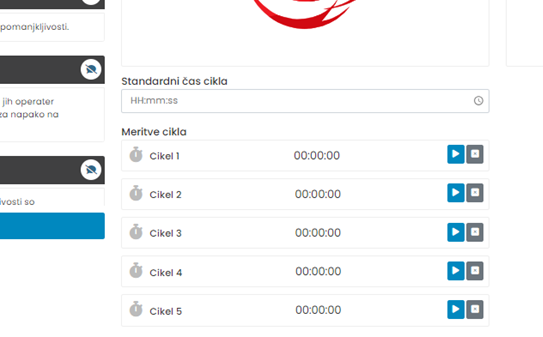
The functionality is enabled within the form settings. 
The number of measurements is set for each specific question. 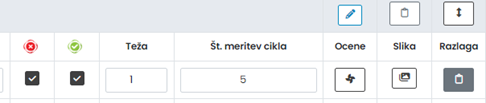
DAM – Audit history
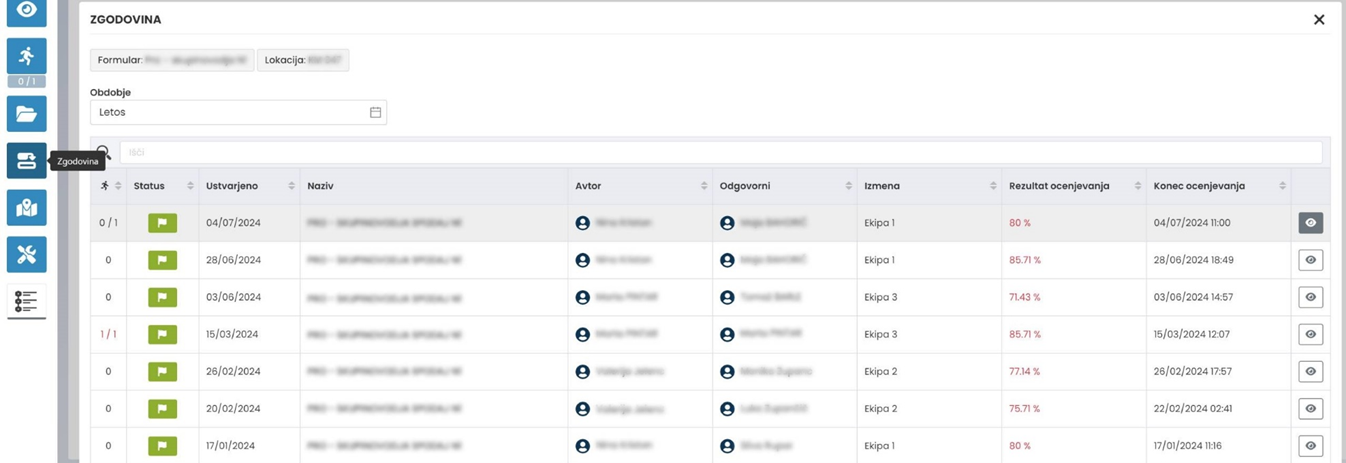
In audits, we have added a button to view the history.
This added functionality within the audit allows all involved parties to quickly review all audits performed at this location with this form.